ESign Lite Setup Guide - iOS Signing Tool for Older Devices
ESign Lite (轻松签) is a free IPA signing tool for iOS. Sign and install apps directly on your iPhone without a computer. Complete setup and usage guide.
What Is ESign Lite?
ESign Lite (轻松签, also known as “QingsongSign”) is a free IPA signing tool that lets you sign and install apps directly on your iPhone or iPad.
⚠️ Notice: ESign Lite’s servers are expiring soon and won’t be renewed. We recommend switching to ESign, QuannengSign, or WannengSign as alternatives.
ESign Lite vs ESign
| Compatibility | ESign Lite | ESign |
|---|---|---|
| Devices | All | All |
| iOS Version | iOS 12.0+ | iOS 16.0 - iOS 26.x |
| Certificate | Required | Required |
Installing ESign Lite
Option 1: Install via ESign
- Open ESign on your device
- Import the ESign Lite IPA into the Library
- Sign and install
Option 2: Online Installation
- Visit dz.yhios.cn
- Select ESign Lite
- Get your UDID and enter your certificate code
- Tap Install, and download the certificate zip file for later use
Importing Your Certificate
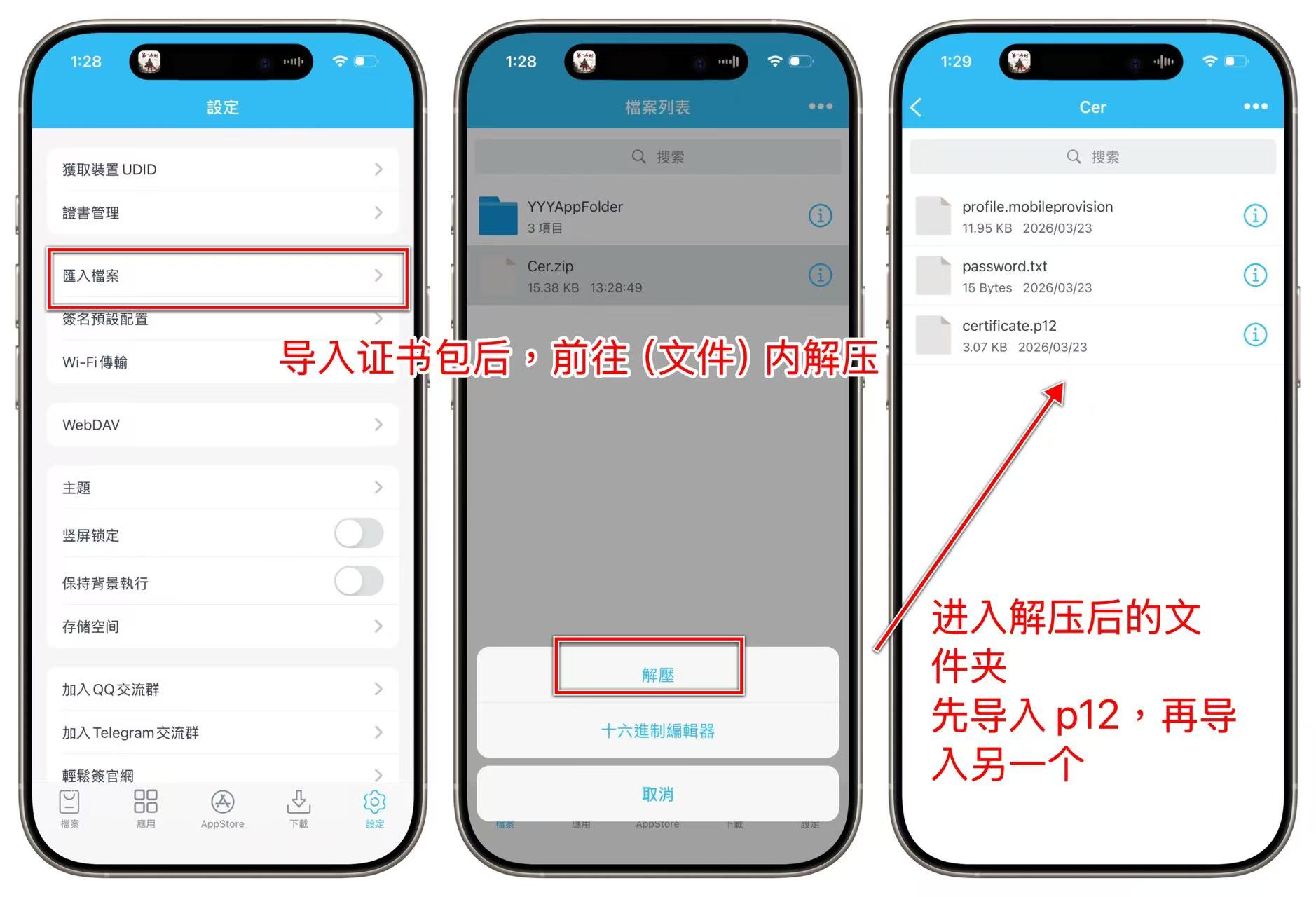
- Open ESign Lite and go to Settings
- Tap Import File and select your certificate zip package
- Import the .p12 file first, then import the .mobileprovision file
- Enter the certificate password to complete
💡 The order matters: always import .p12 before .mobileprovision
Signing and Installing Apps
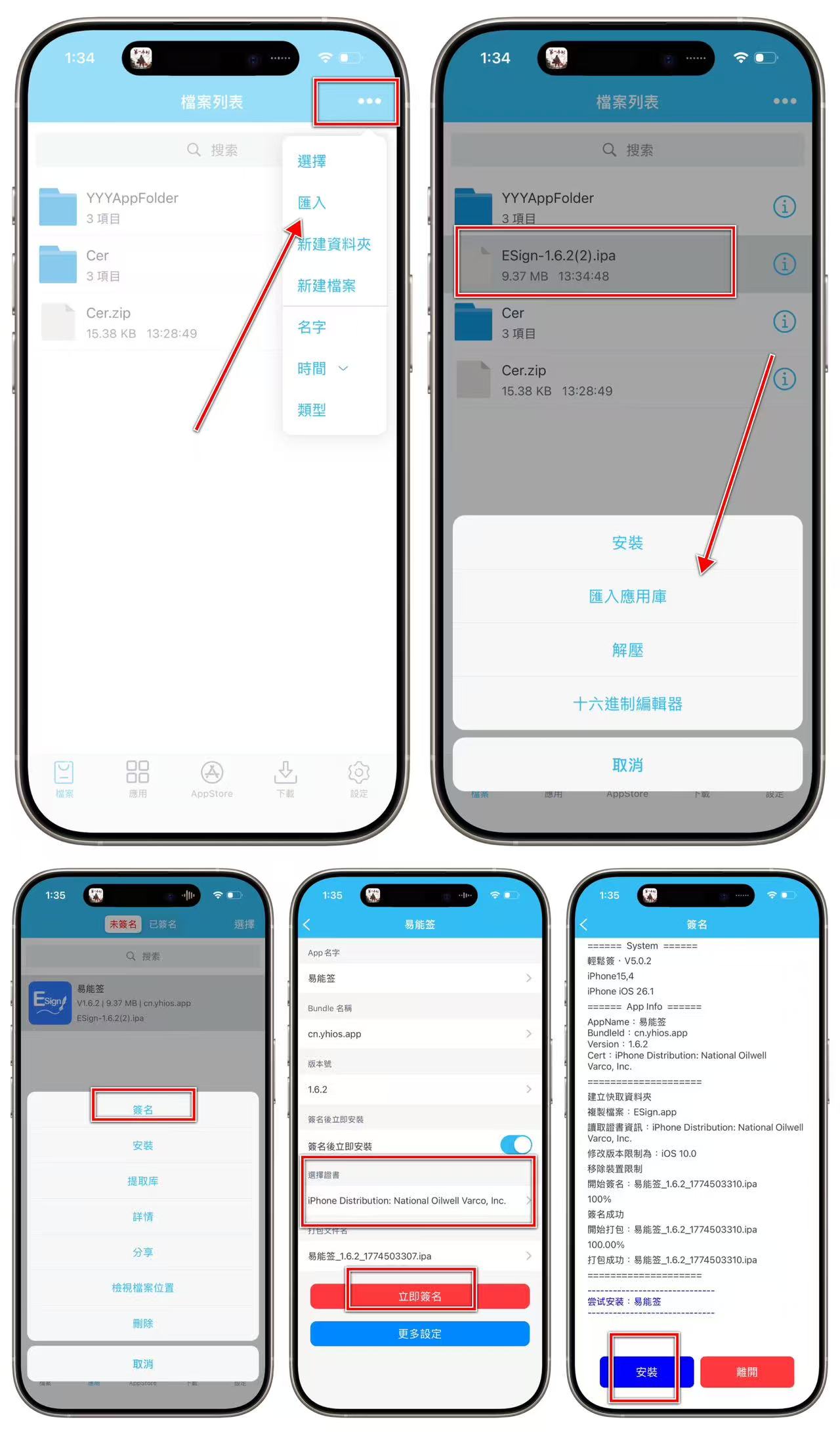
Import an IPA
- Import from the Files app
- Paste an IPA download URL
- Tap an IPA link in Safari and choose “Open in ESign Lite”
Sign and Install
- Tap the IPA you want to sign in the app list
- Select your imported certificate
- Tap Sign
- After signing completes, tap Install
FAQ
ESign Lite won’t open?
The certificate used to sign ESign Lite may have expired or been revoked. Re-sign and reinstall it using ESign.
”Invalid Certificate” error?
Check if your certificate has expired, or if the .p12 and .mobileprovision files don’t match.
Summary
ESign Lite is a simple and easy-to-use signing tool. However, since the official service is ending soon, we recommend using ESign as your primary tool. If your device is running iOS 15 or earlier, ESign Lite remains a solid choice.